Wireless Microphone Buying Guide: UHF vs 2.4 GHz, Digital vs Analog
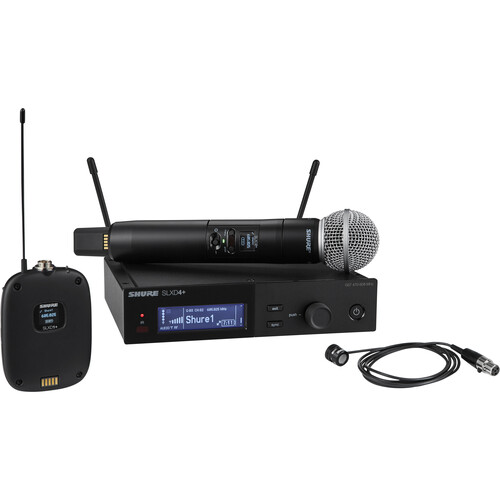
Choosing a wireless microphone comes down to five things: the frequency band, digital or analog transmission, the type of transmitter, how many systems run at the same time, and how you power them. Get those right and the brand and model become a much easier decision.
1. Frequency band: UHF or 2.4 GHz
Most professional wireless systems work in one of two areas of the radio spectrum.
UHF systems (most commonly somewhere between about 470 and 960 MHz, depending on the model and the country version) are the standard for stages, churches, auditoriums and events. UHF signals travel well through crowds and around corners, and a good UHF receiver can run many channels side by side when the frequencies are coordinated properly.
2.4 GHz systems use the same licence-free band as Wi-Fi and Bluetooth. They are quick to set up because the system picks a clear channel for you, which makes them popular for presentations, small venues, schools and content creation. The trade-off is that the band is shared, so in a hall full of phones, laptops and Wi-Fi routers the usable range and the number of channels you can run together are lower than with UHF.
Some newer systems, such as the Shure GLXD+ range, work across both 2.4 GHz and 5.8 GHz and move between them automatically to avoid interference.
2. Digital or analog transmission
Analog wireless has been used for decades and still works well. Digital systems convert the audio to data before transmitting it, which usually gives cleaner sound with no compander noise, more stable channel scanning, and often encryption options. Examples of digital UHF systems include Shure SLX-D and Sennheiser EW-D.
If you are buying new for a church, auditorium or event company, digital is generally the better long-term choice. Analog systems remain a sensible option when you need to match equipment you already own.
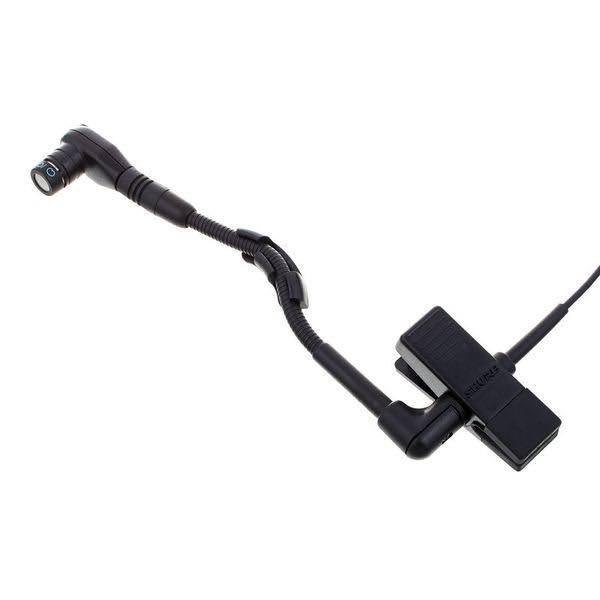
3. Handheld, lavalier, headset or instrument
The transmitter decides how the microphone is used, so match it to the person and the job.
Combo systems that include both a handheld and a lavalier are a practical choice for venues that host different kinds of events.
4. How many microphones will run at once
Count the maximum number of wireless microphones that will ever be on at the same time, not just what you need today. Each one needs its own receiver channel and its own clear frequency. Dual-channel receivers save rack space, and most professional systems include a scan function that finds compatible frequencies for several units. If you plan to grow from two to six or more channels, choose a series that can scale, because mixing different series in one venue makes frequency coordination harder.
5. Range, antennas and placement
Published range figures are measured in ideal, open conditions. In a real hall, bodies, walls and metal structures reduce it. A few habits make far more difference than buying the system with the biggest number on the box:
6. Batteries and charging
Wireless microphones fail most often because of flat batteries. Systems with rechargeable lithium-ion packs and a docking charger cost more at the start but save money and remove guesswork for venues that use them daily. If you use AA batteries, keep a fresh set for every event and check the battery indicator on the receiver before the show.
Quick checklist before you buy
Browse our wireless microphones from brands such as Shure, Sennheiser and Audio-Technica. If you are planning a multi-channel setup for a church, school or auditorium, send us your requirement and our team will suggest a system that fits your venue.
Our audio experts will recommend the right gear for your setup.